Student Payment Plan
Student Payment Plan is now available.
The student payment plan allows you to pay your tuition and fees in automatic installments rather than all at once. The student payment plan is available during the fall and spring semesters.
Student Payment Plan
Student Payment Plan is now available.
The student payment plan allows you to pay your tuition and fees in automatic installments rather than all at once. The student payment plan is available during the fall and spring semesters.
Student Payment Plan
You must have a minimum balance of more than $250 in tuition and fees for the semester in order to enroll in the payment plan. This balance is determined after all financial aid, discounts, fee waivers, and third-party payments have been applied.
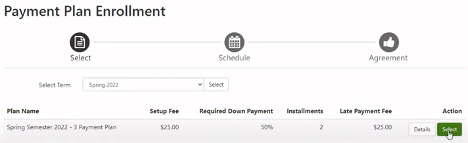
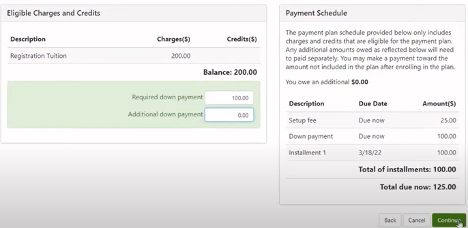
You will be charged a $25 per semester non-refundable enrollment fee and will be required to make a down payment of 50%. The enrollment fee and down payment are automatically deducted from your account immediately after your agreement has been posted to the system.
Your tuition payment will automatically be deducted from your account following two months. (Dates of automated draft are listed on the academic calendar each term.) You may be assessed a $30 returned payment fee for each returned payment.
Enrollment fees and returned payment fees are subject to change in future academic years or semesters.
Any failed attempts to process a payment may result in termination of the contract.
Payment plans are not available for summer semesters.
How to Enroll in the Payment Plan
1. Visit nscc.edu > For Current Students > MyNSCC
2. Login with your student email and password.
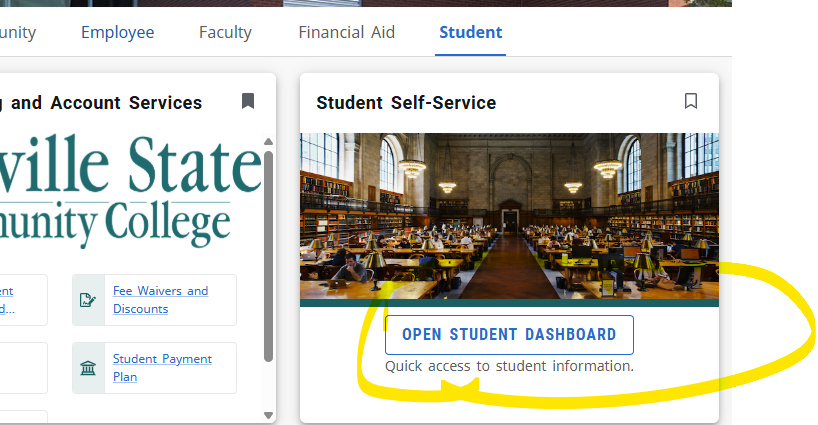
3. Open your student dashboard under the student tab.
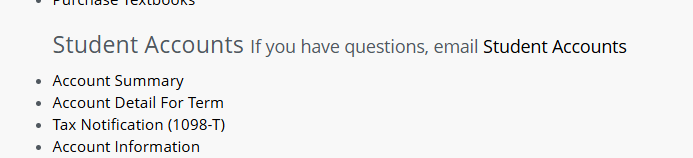
4. On the student services page, select Account Summary.
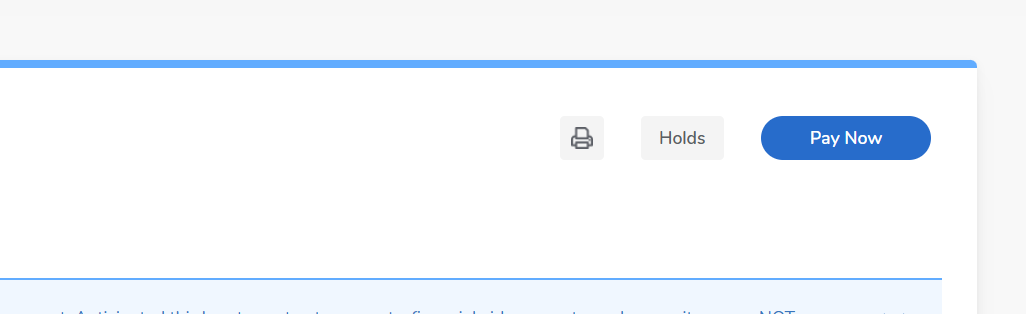
5. Click the Pay Now button.
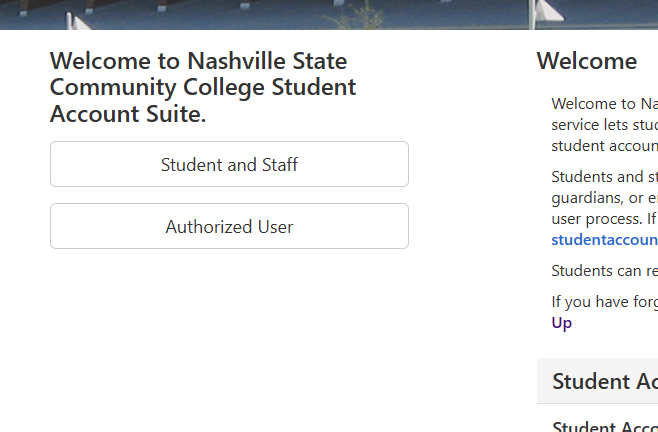
6. You will be brought to a new page. Select Student and Staff. Enter your A# and
password. It may ask you to set up MFA or to text a number to yourself.
7. Select Payment Plans at the top and from there you can set up your payment plan
for the semester.
9. Select Payment Plans at the top and from there you can set up your payment plan for the semester.
Should you encounter difficulty with payment processing, please call the Student Billing and Account Services Office at (615) 353-3310 or email us at studentbillingandaccountservices@nscc.edu.
For security of your student account information, Exit/Close all windows pertaining to your student account.
Important: Stopping payment on a check does not constitute proper withdrawal. A $30 fee will be charged for each returned check. Proper withdrawal procedures must be followed to assess any credits/charges to your accounts.
Step by Step Instructions with Screen Shots
After logging in to my.nscc.edu, go to the student dashboard.
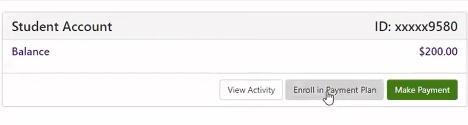
Select “Enroll in Payment Plan”
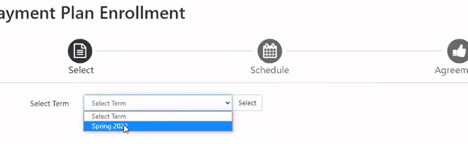
Select term for Payment Plan and then “Select”
Select “Continue”
Setup Payment Method OR Choose Existing Payment Method and then “Continue”
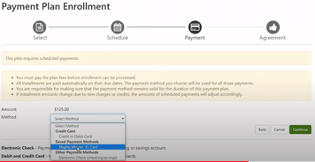
Review Payment Plan Agreement
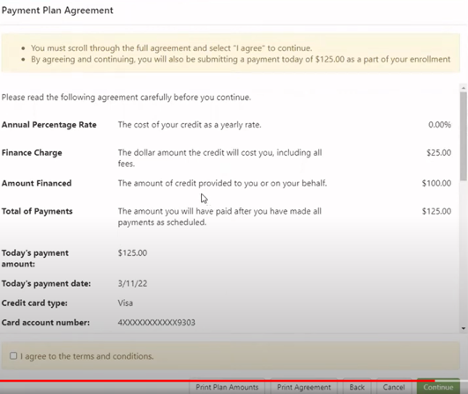
Agree to the “terms and conditions” and then “Continue”

Contact the Student Billing Office
Location
Hours
Friday: 8:15 AM – 4 PM
Office closes at Noon on the last business day of the month.